
The form has 4 required fields. Most people miss only the code field, so follow the order below and the welcome offer is attached in one sitting, together with the email and phone checks that open deposits in CAD. You can also start with a Google or Facebook account, or through Kick, and fill in the remaining details afterwards.
Stake Registration Canada: Sign Up & Log In

Stake registration takes a few minutes and asks for four things: an email address, a username, a password and your date of birth. You can sign up at 19+, or at 18+ in Alberta, Manitoba and Quebec, and the promo code goes into the form during sign-up or on the Offers page within 24 hours. One account covers the website and the iOS app, so your Stake casino login in Canada works the same on both. Create your account now and claim the 200% welcome match with your first deposit.
Stake Registration Step by Step
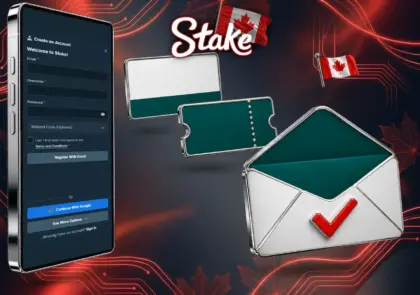
- Open Stake and tap Register.
- Enter your email, a username, a password and your date of birth.
- Open the Referral Code field and paste your promo code now, exactly as written.
- Accept the terms and confirm that you meet the minimum age for your province.
- Confirm your email from the link Stake sends, which is required before a first deposit in CAD.
- Add and confirm your phone number if Stake asks for it when you switch to CAD, and your sign up login for Stake is ready to use.
How Long Does Stake Verification Take?
KYC Level 1 is instant, because you fill it in yourself: name, address, date of birth and country. KYC Level 2 is the step that counts. You upload one ID document, and a review usually comes back within an hour, though busy periods can stretch it to a few business days. Level 2 has to be complete before bonus funds release and before your first withdrawal in CAD, so finish it straight after you sign up rather than on the day you want to cash out.
Photograph the document in colour with all four corners in the frame, because screenshots are refused, and use the same name and date of birth as on the account, since Level 1 details must match the document. The compliance team can also ask for higher levels at any point, usually when withdrawals grow, and a Level 3 document has to show the same address you entered at Level 1:

| Level | What you provide | When it is needed | Typical review |
|---|---|---|---|
| Level 1 | Name, address, date of birth, country | At sign-up | Instant |
| Level 2 | Passport, or national ID or driver’s licence photographed on both sides | Before bonus funds release and the first CAD withdrawal | Usually under an hour |
| Level 3 | Proof of address dated within 6 months | Larger withdrawals or on request | A few hours to 2 days |
| Level 4 | Proof of source of funds | High-value play or on request | 24 hours or more |
Stake Login: How to Log In
The casino login at Stake is the same on the website and in the iOS app, with one account, one wallet and the same security settings. Two-factor authentication guards payouts and transfers as well as sign-ins, and a passkey lets you confirm with Face ID or Touch ID, or with your device PIN. Bookmark the exact address you used the first time: every later Stake login then goes to the same verified site instead of a look-alike from a search result, and the iOS app only ever comes from the App Store.

- Open Stake and tap Sign In.
- Enter your email or username and your password, or pick the Google, Facebook or Kick button you registered with.
- Type the code from your authenticator app, which changes every 30 seconds, or confirm with your passkey.
- Look at the wallet at the top of the screen, which shows your balance as soon as you are in.
Login Problems and Fixes
Most failed Stake Canada login attempts have one of seven causes, and each has a fix you can apply in a few minutes. When Stake is not working for everyone at once, the cause sits on Stake’s side rather than in your account, and nothing you change on your device will help until it is back:

- Wrong password: tap Forgot password, enter your email and follow the password reset link that arrives in your inbox;
- 2FA code rejected: set your phone’s clock to update automatically, because authenticator codes depend on the exact time, then try a fresh code;
- Lost 2FA device: contact live chat or [email protected], which runs an identity check before removing the old 2FA;
- Access restricted: if a Stake casino Canada login attempt returns “not available in your region”, Stake does not serve your current location, and a VPN breaks the terms and puts the balance at risk;
- Social sign-in failing: use the same Google or Facebook account, or the same Kick profile, that you registered with, since a different one creates no match;
- Confirmation email missing: look in spam and promotions folders, then ask live chat to send the confirmation again;
- Site not loading: scheduled maintenance at Stake or a wider outage is announced on Stake’s official X account, so look there before you clear your browser or reinstall the app.
Recover Access to Your Stake Account
Recovery of a Stake login in Canada always runs through Stake’s own support, never through a third-party site that asks for your password. A suspended account goes to [email protected] as well. Four steps bring you back after a forgotten password or a broken phone:
- Request a password reset from the sign-in screen.
- If you cannot reach the email on the account, open live chat and list the details you can confirm, such as your username and date of birth.
- For a lost 2FA device, complete the identity check support asks for before the old 2FA is removed.
- Once you are back in, set a new password and turn two-factor authentication on again; never send your password or a 2FA code to anyone, support included.
Registration FAQ for Stake
How old do I need to be?
19 in most provinces, or 18 in the three provinces with a lower limit. The date of birth on the form must match your ID.
How long does verification take?
Level 1 is instant. Level 2 ID checks usually clear within an hour, though busy periods can take a few business days.
Can I have two accounts?
No. Stake’s terms allow one account per player, and duplicate accounts can be closed with the balance held.
Do I need to verify before I deposit?
Only KYC Level 1 and a confirmed email. Level 2 is needed before bonus funds release and before your first withdrawal in CAD.
Can I add a promo code after signing up?
Yes, within 24 hours: enter it on the Offers page and press Submit. After that window, the code can no longer be attached.
Is the Stake.com login the same as Stake.us?
No. Stake.us is a separate US product with its own accounts, so a Stake.com account does not open it.
Can I sign up in the iOS app?
Yes. The App Store release lets you register or sign in, and the same account then opens on the website with the same balance.
Is Stake down?
Look at Stake’s official X account, which posts outages and maintenance. If nothing is posted, live chat can confirm whether the problem is on your side.